Interactive picker
Run sshnav with no command, or use sshnav pick with an initial filter:
sshnav
sshnav pick production
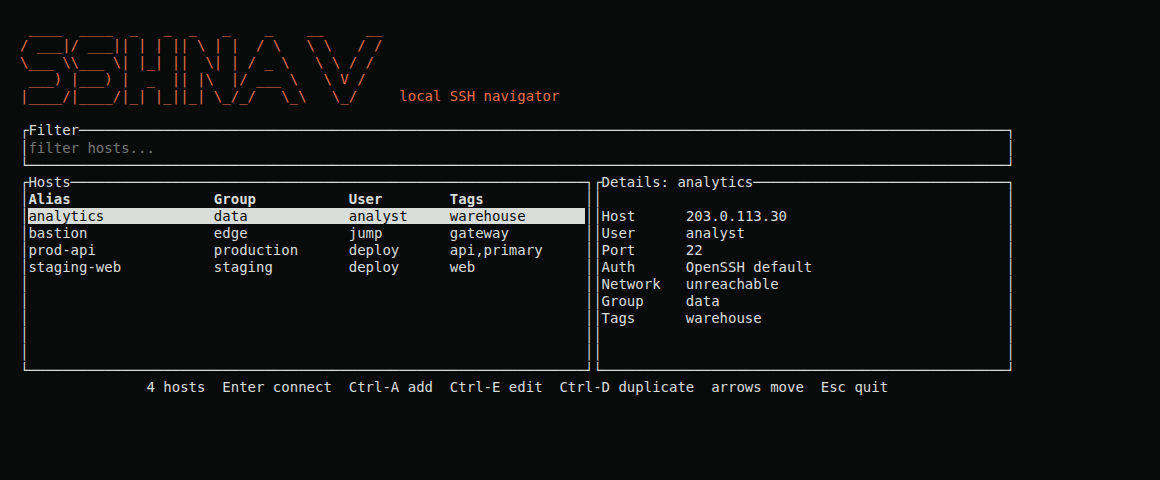
A fixed-size tmux capture using a sanitized example inventory.
Search covers aliases, display names, groups, hostnames, users, and tags. Results are fuzzy-ranked and update as you type.
Structured prefixes narrow the list before fuzzy ranking:
| Prefix | Meaning |
|---|---|
g:prod or group:prod | Group contains prod |
t:db or tag:db | A tag contains db |
u:ubuntu or user:ubuntu | User contains ubuntu |
unreachable: | Confirmed TCP-unreachable hosts |
reachable: | Confirmed TCP-reachable hosts |
Combine them with free text, for example g:prod t:db api.
The details panel shows connection metadata, authentication mode, proxy jump, and a background TCP reachability summary. “Reachable” means the host accepted a TCP connection on its SSH port; it does not prove authentication will succeed. Fresh results are cached for 90 seconds. Groups that recently looked entirely unreachable are not re-probed until you press Ctrl+R.
Edit and deletion
Press Ctrl+E to edit the selected host. Deletion is available inside the edit form and requires two consecutive Ctrl+D presses, reducing accidental removal.
Headless use
The TUI is optional. Scripts and minimal terminals can use sshnav host, sshnav connect, sshnav send, and sshnav receive directly.